Best Website Builder for Tradesmen: An Honest UK Comparison

Wix, Squarespace, WordPress, GoDaddy and Google Sites compared for a trade business: real UK prices, what each is good and bad at, the time it really takes, and when paying someone is the better deal.
Every tradesman who's ever said "I need a website" has had a mate reply "just do it on Wix". Sometimes that's good advice. Sometimes it costs you three weekends and a site you're too embarrassed to put on the van. This is my honest comparison of the main website builder for tradesmen options in the UK, with real prices, so you can pick the right one, or decide not to do it yourself at all.
I build websites for trades for a living, so I'll declare that bias now. I'll also tell you plainly when a £9 a month builder is the right answer, because for some of you it is.
What a trade website needs to do, whatever you build it on
Before comparing builders, it's worth being clear on the job. A trade website isn't a portfolio for admiring. It's there to turn a stranger on a phone into a call or a quote request. For that it needs:
- A phone number you can tap, visible without scrolling, on every page.
- A page for each main job (boiler installs, rewires, flat roofs, patios), not one page listing everything.
- The towns you cover, written in plain words.
- Proof: your own job photos, reviews, and registrations like Gas Safe or NICEIC with the number.
- A short form for people who can't talk right now.
- Pages that load quickly on a patchy 4G signal.
Here's the good news. Every builder in this comparison can do all of that. The builder is rarely why a trade site fails. It fails because the words are generic, the photos are stock and there's only one page. Keep that in mind as you read the price table, because the cheapest builder with good pages beats the dearest one with bad ones.
Website builder prices for tradesmen, compared (October 2026)
These are UK prices per month as of October 2026. They change often and the builders run first-year discounts, so check the live page before you pay.
| Option | Cheapest plan that suits a trade | Free option? | Can you move it later? | Best for |
|---|---|---|---|---|
| Wix | Light £9 paid yearly (£11.50 paid monthly). Core is £16 yearly | Yes, with Wix branding and a wixsite.com address | No. The site has to stay on Wix. Your web address can move | Most DIY tradesmen |
| Squarespace | Basic £12 paid yearly (£16 paid monthly). Core is £17 yearly | No free plan, 14-day free trial | Partly. Some pages export to a WordPress file, plenty doesn't | A tidy look with little fiddling |
| WordPress (self-hosted) | Software is free. Hosting roughly £5 to £25, plus your web address | The software is, the hosting isn't | Yes, to any host or developer | Owners who want full control, or who pay someone to build it |
| GoDaddy | Paid plans billed yearly, with a free web address on annual plans | Yes, free to start with monthly AI credits | No proper export that I know of | The quickest possible start |
| Google Sites | Free with a Google account | Yes | No, you'd rebuild it | A free stopgap |
| Done for you by me | £497 one-off, plus about £20 a month for hosting and your web address | Free homepage mockup before you pay | Yes, you own it outright | Tradesmen whose time is worth more on the tools |
Sources, so you can check them yourself: Wix's plans page, Squarespace's pricing page and GoDaddy's UK website builder page. Wix and Squarespace both include a free web address for the first year on an annual plan, then you pay for it like everyone else. Ask whether VAT is added at checkout before you compare to the penny.
Wix vs Squarespace vs WordPress for a trade business
This is the comparison most people are really asking about, so here's how each one shapes up for a roofer, plumber or electrician rather than a photographer or a café.
Wix: the flexible all-rounder
Good for a trade: you can drag anything anywhere, there are templates aimed at home services, and the free plan lets you build the whole thing before you spend a penny. The paid plans add your own web address and remove the Wix branding. Wix also has an AI builder that asks you questions and drafts a site, which gets you to a first version quickly.
Bad for a trade: the freedom cuts both ways. It's easy to end up with text boxes that look fine on a laptop and overlap on a phone, so check every page on your own mobile. And Wix says plainly that a Wix site has to be hosted on Wix's servers. If you outgrow it, you start again.
My verdict: the best DIY website builder for tradesmen who want to do it themselves and don't mind a bit of fiddling. Use the Light or Core plan, not the free one, once you're showing it to customers.
Squarespace: tidy by default
Good for a trade: the templates are stricter than Wix's, which is a blessing if you're not a designer. It's hard to make a Squarespace site look messy. Good for trades where the work photographs well: landscapers, kitchen fitters, joiners, decorators.
Bad for a trade: no free plan, so the meter starts after the 14-day trial. The stricter layouts can make it awkward to put a big phone number exactly where you want it. And moving away is only partly possible: Squarespace's own help page says its export covers some pages and one blog, and plenty of content doesn't come with it.
My verdict: if your work is visual and you'd rather pay a little more than spend evenings nudging boxes about, Squarespace is a fair choice. If you mostly do emergency and repair work, the extra polish matters less than a big tappable number.
WordPress: the one you can take anywhere
Good for a trade: you own it. A self-hosted WordPress site can move to any hosting company and be handed to any developer. There's a plugin for almost anything, and it's what a lot of web designers build on, so help is easy to find.
Bad for a trade: it's the most work. You choose hosting, a theme and plugins, and then you keep them updated, because an out-of-date WordPress site is the one that gets hacked. That's real ongoing time or money, which I've broken down in what website maintenance costs in the UK. WordPress.com, the hosted version, takes some of that work off you, and its paid plans now let you install plugins, but you're back to paying a platform every month.
My verdict: great if someone who knows it builds and looks after it. A poor first project for a tradesman doing it alone at 10pm.
GoDaddy, and the AI website builders
Plenty of people buy their web address from GoDaddy, so its builder is the path of least resistance. You can start for free with a monthly allowance of AI credits and no card, and annual plans include a web address. It's the quickest way to get something live. In my view the designs are more basic than Wix or Squarespace, and like Wix it's GoDaddy's own system, so plan on rebuilding if you leave. Its paid plans are billed yearly, so look at the renewal price on the checkout page, not just the first-year price.
Wix, Squarespace and GoDaddy all have AI builders now. You type in your trade and town, and a few minutes later there's a website. I'll be straight with you: they're a decent first draft and a poor finished product. The words come out sounding like every other plumber in the country ("quality workmanship at competitive prices"), and the AI doesn't know which towns you really cover, which jobs make you money or what your guarantee says. Use one to get the structure, then rewrite every line in your own words.
Free website builders for tradesmen: what "free" costs you
There are four genuinely free routes, and each one has a catch.
- Wix free plan. The full builder, but your address is something like yourname.wixsite.com/plumbing and Wix branding shows on the site. Fine for building and testing. Not something I'd put on a van.
- Google Sites. Free with a Google account, very basic, and you can connect your own web address as long as it includes the "www" part, according to Google's own help page. Workable as a one-page stopgap.
- GoDaddy's free start. Good for seeing what the AI builds before you commit to a paid plan.
- WordPress.com free plan. No plugins and adverts for visitors, so it's more of a blog than a business site.
One free option that's gone: Google used to let you make a simple website from your Google Business Profile. Google switched those off in March 2024, so if an old article tells you to use one, it's out of date. Your Google Business Profile itself is still free and still matters more than any of these, so set that up first.
My honest view on free: it's fine for proving the idea when you're just starting out. Once you're asking strangers to trust you with their house, pay the few pounds a month for your own web address. A wixsite.com address tells a customer you're not quite established.
Tradesman website templates: what to look for
Whether you search for roofing website templates, a plumber website template or a free handyman template, a lot of them are built for American businesses and look it: "HVAC" instead of heating, "contractor" everywhere, sliding banners and stock photos of men in hard hats grinning at a clipboard. Here's what I'd look for instead.
- Phone number in the header, top right on a laptop and still visible on a phone.
- A call bar that sticks to the bottom of the screen on mobile. Not every template has one, so check, or add a button that links straight to your phone number.
- Service blocks you can turn into separate pages, rather than one long services list.
- Room for trust badges and a sentence about your guarantee near the top, not buried in the footer.
- No sliders, no video backgrounds. They slow the page down on a phone and nobody waits for slide three.
- A simple contact form: name, phone, postcode, a line about the job.
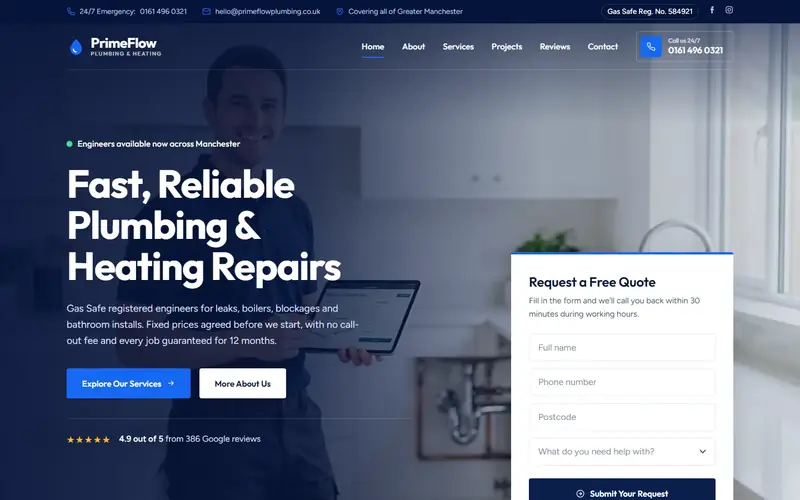
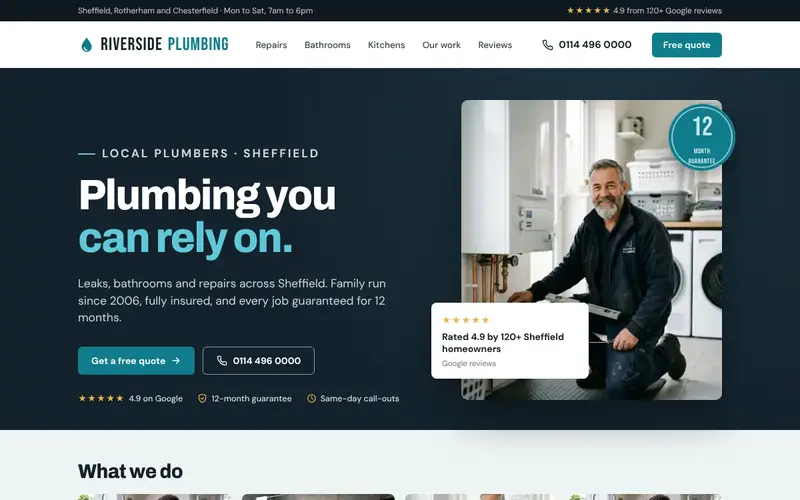
If you want to see these patterns on real layouts, I've broken down trades website examples by trade, including demo designs I've made for plumbers, roofers, landscapers and electricians.
The SEO limits nobody mentions
Builders love to say their sites are "SEO friendly". All the ones above let you set page titles, descriptions and web addresses, and all of them can rank on Google. In my experience, the platform is almost never the reason a trade site doesn't show up. These are the real limits:
- Thin pages. A one-page site can't rank for "boiler installation Rotherham" and "bathroom fitting Rotherham" and "leak repair Rotherham" at the same time. Each job needs its own page with something useful on it.
- No areas. If the site never names the towns you cover, Google has to guess. It usually guesses wrong.
- Heavy templates. Big images, animations and five tracking add-ons make a page slow on a phone, and slow pages lose people before Google is even part of the story.
- Lock-in when you move. Leave Wix or GoDaddy and the site doesn't come with you. Whoever rebuilds it has to point every old page address at the new one, or you lose whatever the old pages had earned.
None of those is fixed by switching builder. They're fixed by writing proper pages, which is the bit most DIY sites skip.
The time cost: the bit the price table leaves out
The builders are cheap. Your evenings aren't. A basic trade site done properly means writing five to ten pages, sorting and cropping photos, setting up the form, connecting the web address, then checking it all on a phone. If you've never done it before, that's days, not hours.
Say you're a plumber in Rotherham, and a day on the tools leaves you £250 after materials. If the site takes three full days of your time to do properly, that's £750 of work you didn't do, before the first subscription payment. Then compare the running costs over three years at today's prices:
| Route | Up front | Monthly | Over three years (before any VAT) |
|---|---|---|---|
| Wix Core, paid yearly | Nothing | £16 | £576, plus your time |
| Squarespace Core, paid yearly | Nothing | £17 | £612, plus your time |
| Done for you by me | £497 | About £20 hosting and web address | £497 plus £720 hosting, and none of your evenings |
The DIY route is cheaper in cash, no question. Whether it's cheaper overall depends on what your time is worth and whether the site you'd build yourself would actually bring in work. For the full picture across every option, including freelancers and agencies, see how much a website costs in the UK.
When DIY is the right call
I'd tell you to build it yourself if:
- You're just starting out and money is tight. A tidy Wix site this month beats a perfect one next year.
- You're booked solid on word of mouth and the site is only there so people can check you're real.
- You actually enjoy this sort of thing and you'll keep it updated.
- It's a side business you're testing.
If that's you, pick Wix or Squarespace, write every page in your own words, use your own photos, and put the phone number everywhere. You'll be ahead of plenty of firms who paid for theirs.
When paying someone beats doing it yourself
It flips the other way when:
- The site needs to win work from strangers searching Google, not just reassure people who already have your number.
- A day of your time is worth more than a few months of hosting.
- You've built one already and it gets no enquiries. (That's usually the pages, not the builder: here's why trade websites don't get enquiries.)
- You want to own the site outright and be free to move it, rather than renting one you can't take with you.
If you go down this road, ask the right questions before you hand over money. I've written up how to choose a web designer and what the process should look like, so you know what good looks like whoever you pick.
What about trade-specific website builders?
There are companies that only do websites for tradesmen: a roofing website builder here, a plumbing website builder there, usually sold on a monthly fee with little or nothing up front. Some are perfectly decent. (If that's what you were searching for, my pages on websites for roofers, websites for plumbers, websites for electricians and websites for handymen show what I'd build for each trade.) Before you sign with anyone, get three answers in writing:
- Is there a minimum term, and what does it cost to leave?
- If I stop paying, do I keep the website, or just the web address?
- Is the web address registered in my name?
If the answers are "12 months", "the site goes" and "it's in ours", you're renting, and over a few years renting often costs more than buying. Directory profiles from the likes of Checkatrade or Yell aren't websites either. They're useful, but they're someone else's page with your competitors listed next to you. I've covered whether Yell is worth it separately.
Website builders for tradesmen: your questions answered
What is the best website builder for tradesmen?
For most tradesmen doing it themselves, Wix: it has a free plan to try it, flexible layouts and plenty of home services templates. Squarespace if you want something neat with less effort. WordPress if you want to own it and someone will maintain it.
Is Wix or Squarespace better for a small trade business?
Wix is more flexible and lets you start free. Squarespace is tidier out of the box but has no free plan. Both cost roughly £9 to £17 a month on the plans a trade needs, paid yearly, as of October 2026. Neither is better for Google on its own.
Is there a free website builder for tradesmen?
Yes: Wix's free plan, Google Sites and GoDaddy's free start. All three work for testing. For a site you put on your van and quotes, pay for your own web address so you don't look temporary.
Can I move my Wix site to someone else later?
No. Wix says its sites have to be hosted on Wix. You can take your web address with you, but the site itself gets rebuilt somewhere else.
Do I need a website if I'm on Checkatrade?
Probably, yes. A directory profile helps people who are already on that directory. A website catches people searching Google and people checking you out after a recommendation. More on that in do I need a website for my business.
Where I fit in
If you'd rather not build it yourself, I'll build it for you. My Job Winning Website for tradesmen is £497 one-off, no VAT and no deposit. You see your homepage design within 24 hours of our set-up call, before you pay anything, and the site is live within 7 working days of your start date. Hosting and your web address are about £20 a month, paid by you, and you own the site outright.
And if you read this and think "I'll do it on Wix", that's fine by me. Build it with proper pages and your own photos, and it'll do a job. If you want to see what a site built for your trade would look like first, ask for a free website mockup and decide with something in front of you.