How to Get More Google Reviews: A Practical Guide for Trades
Happy customers rarely leave reviews unless you ask. Here's how to ask without it feeling awkward, what Google allows and bans, and how to handle the occasional bad one.
If you want to know how to get more Google reviews, the answer is boringly simple: ask every customer, at the right moment, in a way that takes them thirty seconds. Most trades do great work and then never ask, or ask once in a while when they remember, which is why their newest review is from 2023.
This guide covers what Google allows and bans (the rules are stricter than most people think), when to ask, word-for-word scripts for asking in person and by text, how to reply to reviews, and what to do about a bad one.
Why reviews matter so much for trades
Two reasons. First, customers read them. Someone letting a stranger into their house to work on the boiler wants to know other people trusted you and it went well.
Second, Google says so. Its page on local ranking says prominence is partly based on how many reviews you have, and that more reviews and positive ratings can help your local ranking. Reviews are one of the few ranking factors you can grow steadily, every week, for free.
There's no magic number to hit. What matters is how you compare with the businesses you're up against for the same searches, and whether your reviews are recent. A steady few every month beats a big push once a year.
What Google allows, and what gets reviews removed
Google's policy on prohibited content for Maps is clear that businesses can encourage genuine reviews. It's equally clear about what you can't do. These are the rules that catch trades out.
Allowed
- Asking every customer for an honest review.
- Sending them a link or a QR code that takes them straight to the review box.
- Asking by text, email, WhatsApp, or in person.
- Reminding them once if they forget.
- Replying to every review, good or bad.
Not allowed
- Incentives. Google bans offering payment, discounts, or free goods or services in exchange for a review. That includes "£10 off your next service", and I'd treat entering reviewers into a prize draw the same way. It also covers offering something to change or remove a bad review.
- Review gating. Google says businesses must not discourage or prohibit negative reviews, or selectively ask for positive ones. If you ask "were you happy?" first and only send the Google link to people who say yes, that's gating. Plenty of review tools do it by default.
- Pressure. Google says merchants shouldn't require or pressure people to leave reviews while on the premises. Standing over a customer while they type it on your phone is a bad look anyway.
- Telling people what to write. Google bans asking for reviews with specific content, including content that names a member of staff. So don't ask customers to mention "boiler repair in Rotherham", and don't ask for five stars. Just ask for an honest review.
- Staff quotas. If you have staff, Google bans setting them a number of reviews to collect.
- Reviews from people with a conflict of interest. That includes family, employees, ex-employees and business contacts. Your mum's review of your plastering doesn't count, however good the plastering is.
- Fake reviews, in any form, from any number of accounts.
When to ask: timing is most of it
The best moment is when the customer is happiest, which is usually right at the end of the job. The kitchen looks great, the heating's back on, the roof's not leaking. Wait a fortnight and you're a memory competing with everything else in their inbox.
- Most jobs: mention it at handover, then text the link the same day.
- Emergency call-outs: give it a few hours. Someone who's just had water through the ceiling doesn't want a review request at 2am. That evening, once things have calmed down, is fine.
- Long jobs (extensions, re-roofs, full bathrooms): ask at completion, not at each stage.
- Repeat customers and landlords: ask once, after a job that went well. You don't need a review for every gas safety check.
Then one polite reminder a few days later if nothing's appeared. One. After that, leave it.
How to ask customers for reviews in person
Asking face to face feels awkward for about a week, then it's just part of finishing a job. Keep it short, make it about your business rather than a favour they owe you, and say you'll send the link. Adapt these to how you talk.
At handover:
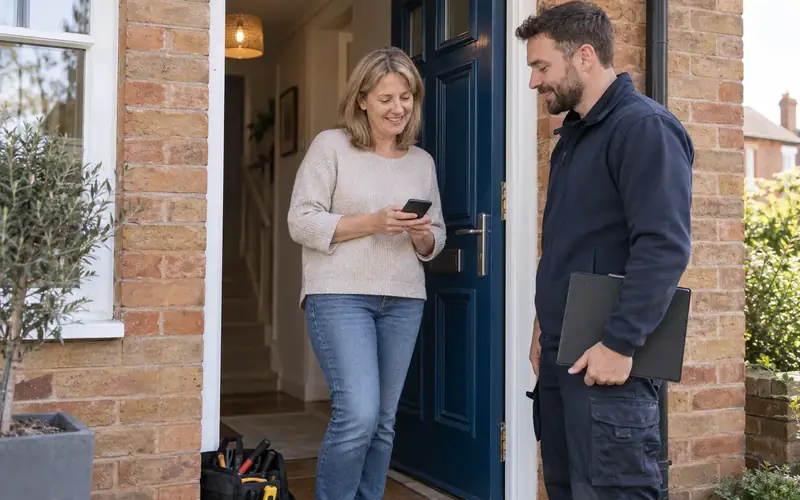
"Glad you're happy with it. Can I ask one thing? Most of my work comes from people finding me on Google, so reviews make a real difference to a small business like mine. I'll text you the link tonight. If you've got a couple of minutes, an honest review would be brilliant."
When they pay you a compliment:
"That's kind of you, thanks. Would you mind saying that on Google? I'll send you the link so it only takes a minute."
After you've had to go back and put something right:
"Sorry it needed a second visit. Once you've had a few days to see it's holding up, I'll send you the review link. Whatever you think, honest is fine."
That last one matters. Asking customers whose job didn't go perfectly is what an honest business does, and it's what Google's rules expect. A calm review that says "had a problem, he came back and sorted it" is worth a lot.
Text and WhatsApp scripts
Text is the best channel for most trades. People read texts, and the link is one tap away. Google itself suggests sending review requests by email, WhatsApp or Facebook. Here are three to copy. Replace the bits in square brackets.
Same day:
"Hi [name], it's [your name] from [business]. Thanks for having me round today. If you've got a minute, I'd really appreciate an honest review on Google. It helps a small business like mine more than you'd think: [your review link]. Thanks, [your name]"
Reminder, three or four days later:
"Hi [name], [your name] here. Just a quick nudge in case the link got buried. No worries at all if you haven't time: [your review link]"
After a small job or a quick fix:
"Hi [name], thanks for calling me out today. If you're happy to, a quick Google review would help me a lot: [your review link]. Any problems with the [tap / socket / gutter], just give me a ring."
Two practical points. Customers need to be signed in to a Google account to leave a review, though Google says they can create one with a non-Gmail email address. And send it from the same number they've been dealing with, so they know who it's from.
Make it easy: your review link and QR code
Every extra step loses people. "Search for me on Google and find the reviews bit" loses most of them. Send the direct link instead, which opens the review box straight away.
You get it from your profile, under Read reviews, then Get more reviews. My guide to your Google review link shows exactly where it is, how to download the QR code, and where to put it: texts, invoices, emails and leave-behind cards.
How to get more Google reviews without thinking about it
The trades with the most reviews aren't better at asking. They just never forget to. A few habits do it:
- Make it part of finishing a job, like taking the "after" photo and sending the invoice.
- Save the text as a template on your phone so it takes ten seconds.
- Put the link on your invoice and in your email signature.
- Ask everyone. It keeps you on the right side of Google's rules and it's simpler than deciding who to ask.
- Keep a rough count of jobs finished and requests sent. If you sent ten and got none, look at your wording and timing.
And if you'd rather not rely on remembering at all, review requests can be set up to go out automatically whenever a job is marked as finished. That's what my review automation does: every completed job gets a request, nobody gets filtered out, and you don't have to think about it.
How to reply to reviews
Google says replying shows you value feedback, and that positive reviews and helpful replies can help your business stand out. Replies are public, and the reviewer gets a notification when you reply.
To reply, open your profile, select Read reviews, then the reply option next to the review. Google checks replies against its policies before they appear. It says that usually takes up to 10 minutes but can take up to 30 days. You can edit or delete a reply later. The steps are on Google's page on managing reviews.
Replying to a good review
Keep it short and personal. Mention the job if you can. Don't stuff it with keywords, and Google says not to put offers or promotions in replies.
"Thanks Sarah, it was a pleasure sorting out the bathroom. Enjoy the new shower. Dave"
Replying to a bad review
Google's own advice for negative reviews is sensible: don't get personal, protect the reviewer's privacy, find out what happened, be honest, apologise where it's right to, sign your name and reply promptly.
Remember who you're really writing for. It's not the unhappy customer, it's the next person reading your reviews and deciding whether to ring you. A calm reply can win more work than the review loses.
"Hi Mark, I'm sorry you're unhappy with how the job went. I don't want to go into details here, but I'd like to put it right. Please ring me on the usual number and I'll come back out. Dave"
Then actually ring them if they don't ring you. Never argue in public, never reveal details of the job, and never reply when you're angry. Write it, sleep on it, send it in the morning.
How to get Google reviews removed (and when you can't)
You can report any review, but Google only removes ones that break its policies. A review being negative, or unfair in your opinion, isn't enough on its own. Reviews that do qualify include spam, fake reviews, offensive content, reviews from someone with a conflict of interest (a competitor, say) and reviews that aren't about a genuine experience.
- On your profile, select Read reviews, choose the report option next to the review, pick a reason and send the report.
- Or use Google's Reviews Management Tool, where you can also check the status of reviews you've reported.
- Google says evaluation typically takes several days.
- If Google decides there's no policy breach and you disagree, you get a one-time appeal through the same tool.
The full process is on Google's page on reporting inappropriate reviews. If someone's leaving bad reviews and demanding money to stop, that's an extortion scam, and Google has a separate process for reporting it.
For a genuine bad review, the best answer isn't removal. It's a good reply, and enough recent good reviews around it that it looks like what it is: one off day.
Quick questions
Can I text all my old customers at once?
You can ask past customers, but I'd spread it out. Google's policy treats unusual volumes or patterns of reviews as a warning sign, and 40 reviews in one weekend after two years of nothing looks exactly like that. Start with customers from the last few months, a handful a week, then keep going with every new job.
Should I reply to every review?
Yes, if you can. A short thank you on good ones and a calm reply on bad ones. It takes a minute, and people reading your reviews notice a business that answers.
What about Checkatrade, Facebook or Trustpilot reviews?
Reviews elsewhere still help customers trust you, but they don't appear on your Google profile. One clear link works better than asking people to choose between three, so decide which platform matters most for you. For most local trades, it's Google, because that's where customers compare firms on the map.
Where reviews fit in
Reviews are one part of being found locally, alongside the right categories, a properly filled-in profile and a website that backs it up. My Google Business Profile checklist covers the rest of the profile, and the local SEO guide for tradespeople shows how it all fits together.
If you'd like reviews to look after themselves, have a look at how review requests can run themselves. If you'd rather know where you stand overall first, the free Search Opportunity Review on my local SEO for tradesmen page shows how you compare with the trades around you. I'll tell you honestly whether reviews are what's holding you back, or something else is.